An ATS resume checker helps you see your resume the way hiring software and recruiters are likely to read it. That matters because a resume can look polished on screen and still be hard for an applicant tracking system to parse, search, or match against a job description.
The goal is not to chase a perfect score. The goal is to find the preventable issues that keep a qualified resume from being understood: unreadable sections, missing role keywords, confusing formatting, weak bullets, inconsistent dates, and vague evidence.
Key takeaway
Quick answer: what does an ATS resume checker test?
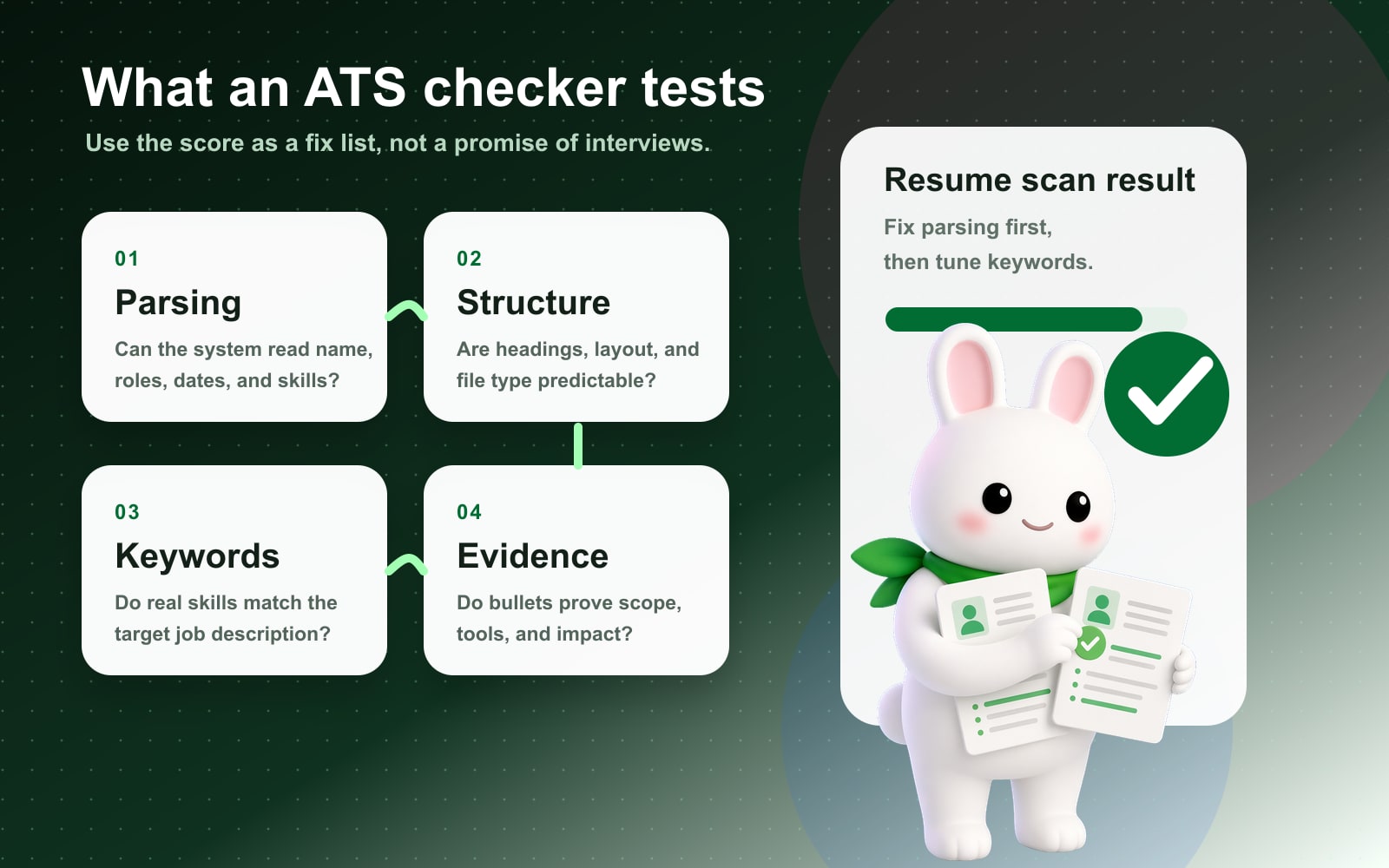
Resume parseability: whether your name, contact information, work history, dates, education, and skills can be read cleanly.
ATS-friendly formatting: whether the file uses a simple layout, standard headings, searchable text, and safe fonts.
Keyword alignment: whether your real skills and experience match the language in the job description.
Content strength: whether your bullets prove impact instead of only listing duties.
Recruiter readability: whether a human can understand your fit in the first scan.
What is an ATS resume checker?
An ATS resume checker is a quality-control tool for your resume. It scans your resume for the same categories that usually affect how well the document performs in an applicant tracking system: structure, parsing, keywords, formatting, section labels, file readability, and job-description relevance.
Applicant tracking systems are used by employers to collect, sort, store, search, and review applications. Indeed's ATS guidance explains that these systems often scan resumes for employer-defined keywords and can struggle when formatting is too complex.
A checker is useful because most job seekers cannot see the parsed version of their resume. You see the designed PDF. The system may see scrambled columns, missing contact information, broken dates, or skills separated from the roles where you used them.
Why ATS checking matters before you apply
Most candidates use an ATS checker after they have already sent dozens of applications. That is backwards. Run the check before applying so you can fix obvious friction while the application is still in your control.
Here is the practical value:
| ATS checker result | What it tells you | What to do next |
|---|---|---|
| Low parseability | The system may not read the resume correctly. | Simplify layout, headings, contact placement, and file type. |
| Missing keywords | The resume may not reflect the target job language. | Add only truthful skills, tools, certifications, and role phrases. |
| Weak content score | Bullets may describe duties without proof. | Add scope, tools, metrics, business outcomes, and ownership. |
| Formatting warnings | Visual design may block parsing or scanning. | Remove complex tables, graphics, text boxes, and critical header/footer text. |
| Low match score | The resume may be too generic for the job. | Tailor the top third and recent experience to the posting. |
What an ATS resume checker tests
A useful ATS resume checker should not give one mysterious number and stop. It should break the score into fixable categories.
1. Resume parseability
Parseability answers a simple question: can software read the resume correctly?
The checker should inspect whether your resume has:
- a readable name and contact block
- recognizable section headings
- clear job titles, employer names, locations, and dates
- searchable text instead of text trapped in an image
- work experience that appears in a logical order
- skills that can be extracted as actual text
Parsing comes before keywords. If the parser cannot identify your experience section, it may not matter how strong your bullets are.
2. ATS-friendly formatting
Formatting problems are common because many resume templates are designed for visual impact, not machine readability.
Use:
one-column layout
key information in headers or footers
standard headings like Summary, Experience, Skills, Education, Certifications, and Projects
text boxes
common fonts such as Arial, Calibri, Georgia, or Times New Roman
multi-column layouts
consistent date formats
tables used for layout
simple bullets
icons, charts, graphics, or skill bars that contain important information
readable PDF or DOCX, depending on the employer's instructions
creative section names like "My Journey" or "Where I Shine"
Put contact details in the body of the document.
Hide contact details in the Word or PDF header.
Use plain section labels an ATS can recognize.
Rename Experience to "Career Story" or "Impact Journey."
Keep skills as searchable text.
Use icons, progress bars, or screenshots for skills.
Keep the resume readable for humans too.
Strip it into keyword soup that no recruiter wants to read.
3. Keyword alignment
An ATS checker compares the words in your resume with the job description. This does not mean you should copy the posting. It means you should use the employer's language when it truthfully describes your background.
Look for:
- hard skills
- tools and platforms
- certifications
- methods or frameworks
- industry terms
- role outcomes
- seniority clues
- repeated verbs and nouns
For example, if the job description asks for "customer onboarding," "renewal risk," "Salesforce," and "executive reporting," your resume should not only say "managed clients." It should show where you did onboarding, how you handled renewal risk, what tools you used, and what reporting changed.
How to use an ATS score correctly
An ATS score is a diagnostic signal, not a hiring prediction. A high score does not guarantee an interview, and a low score does not mean you are unqualified.
Use this order:
- 1Fix parsing first.
- 2Fix formatting warnings.
- 3Add missing keywords only when they match your real experience.
- 4Rewrite vague bullets with evidence.
- 5Re-scan the resume against the same job description.
- 6Read the final resume as a recruiter would.
The score should help you make better edits faster. It should not push you into keyword stuffing or fake experience.
Good ATS score vs bad ATS score
Different tools score differently, so treat benchmarks as guidance rather than universal rules.
| Score range | What it usually means | Action |
|---|---|---|
| 85-100 | Strong technical readability and relevance. | Do a human-readability pass and apply. |
| 70-84 | Solid base with a few gaps. | Fix the highest-impact missing keywords and weak sections. |
| 50-69 | The resume is probably too generic or hard to parse. | Rework formatting, top third, skills, and recent bullets. |
| Below 50 | Major parsing, keyword, or structure issues are likely. | Rebuild from a simpler template before applying. |
Do not optimize forever. Once the resume is readable, truthful, and clearly matched to the role, send the application and move to the next strong-fit job.
ATS checker example: weak resume vs stronger resume
Weak version:
Responsible for reports and dashboards.
Built weekly Salesforce and Tableau dashboards for a 14-person customer success team, reducing manual reporting time by 6 hours per week.
Helped with onboarding.
Led onboarding workflow for 45 enterprise accounts, improving first-response time by 28% and reducing handoff errors.
Worked with product team.
Partnered with product and support leaders to prioritize 18 customer pain points and improve renewal-risk visibility.
The stronger version works because it includes the action, context, tools, scope, and result. Those details help both the ATS and the recruiter understand fit.
How to improve your ATS score step by step
Step 1: Start with the job description
Do not optimize from memory. Paste the job description into the checker and identify the repeated skills, tools, responsibilities, and outcomes.
Group keywords into:
- must-have skills you actually have
- job-context phrases that describe work you have done
- nice-to-have skills you can mention only if true
- terms you should not add because they do not match your background
Step 2: Fix the top third of the resume
The top third should quickly answer: who are you, what role do you fit, and why should the recruiter keep reading?
Update:
- headline or target title
- professional summary
- core skills
- most recent role bullets
Step 3: Make section headings predictable
ATS tools and recruiters both benefit from clear section labels.
Use headings like:
- Summary
- Skills
- Experience
- Projects
- Education
- Certifications
Step 4: Rewrite bullets with proof
A strong resume bullet usually includes:
- 1What you did.
- 2Who or what it affected.
- 3Tools, process, or method.
- 4Measurable or concrete outcome.
If you do not have exact metrics, use scale: team size, number of customers, project volume, budget, geography, cycle time, or risk reduced.
Step 5: Re-check recruiter readability
The final resume still has to sound human. Read it once without the score in front of you. If it feels stuffed, repetitive, or robotic, simplify it.
Common ATS checker mistakes
Use the score to prioritize edits.
Treat the score as a guarantee of interviews.
Tailor for each serious job application.
Use one generic resume for every role.
Add keywords where they belong naturally.
Hide keywords in white text or jam them into a list.
Keep formatting simple and clean.
Use decorative templates that scramble parsing.
Prove outcomes with bullets.
Rely on responsibilities with no evidence.
When you should run an ATS resume checker
Run a check when:
- you are applying to a role you seriously want
- you changed industries or job functions
- your resume uses a new template
- your response rate is low
- you added new skills or projects
- a job description has clear must-have requirements
- you are submitting through a large employer's career portal
You do not need to scan endlessly. One careful scan, one focused rewrite, and one final check is enough for most applications.
How Rezoomed helps
Rezoomed turns ATS checking into an action workflow:
- 1Upload or select your resume.
- 2Run an ATS score to catch parsing, formatting, and readability issues.
- 3Paste a job description for a match check.
- 4Review missing keywords and weak areas.
- 5Improve bullets without inventing experience.
- 6Save a cleaner resume version before applying.
The point is not to make your resume louder. It is to make your fit easier to understand.
Fast answers to common questions
Frequently asked questions about ATS resume checkers
- 01+
What is an ATS resume checker?
An ATS resume checker is a tool that reviews how well your resume can be parsed, searched, and matched against a job description. It usually checks formatting, section structure, keywords, file readability, and content strength.
- 02+
What is a good ATS resume score?
A score above 80 is usually a strong sign that the resume is readable and reasonably aligned, but scoring varies by tool. Focus less on the exact number and more on the specific issues the checker flags.
- 03+
Can an ATS resume checker guarantee interviews?
No. An ATS checker can reduce preventable resume problems, but interviews still depend on role fit, competition, timing, referrals, recruiter judgment, and hiring needs.
- 04+
Should I copy keywords from the job description?
Use job-description keywords only when they accurately describe your skills or experience. Copying the posting word for word can make the resume sound unnatural and may create problems in interviews.
- 05+
Is PDF or DOCX better for ATS?
Use the file type requested by the employer. If the posting accepts both, a clean text-based PDF or DOCX can work. Avoid scanned PDFs, image-only resumes, and files with critical information trapped in graphics.
- 06+
How often should I run an ATS check?
Run a check for serious applications, especially when the job description is specific. You do not need to scan every minor edit, but you should re-check after changing layout, skills, summary, or recent bullets.
Final takeaway
The best ATS resume checker is the one that turns a score into useful edits. Fix parsing first, keep formatting simple, match truthful keywords to the job description, and strengthen bullets with evidence.
A resume that is easy for software to parse and easy for recruiters to understand gives your experience a better chance to be judged on merit.
Sources and further reading
- Indeed: How To Write an ATS-Friendly Resume
- Jobscan: Resume Scanner and ATS Resume Checker
- Microsoft Create: How to write an ATS-friendly resume
Related Rezoomed tools
- ATS Checker - Run a live ATS scan on your resume and catch parsing or keyword gaps fast.
- ATS Resume Test - Use a step-by-step ATS test when you want to check parsing, formatting, and keywords before applying.
- Resume Scanner - Scan the exact file you plan to send and fix preventable recruiter-readability issues.